Home / How to type Typing walkthrough How to Type Greek Letters Learn how to insert Greek symbols across Windows, macOS, Microsoft Word, Google Docs, and mobile devices — or skip complex menus and grab clean Unicode characters directly in one click.
Recommended workflow Need one Greek character? Copy it first. Copying a Unicode character is the quickest route when you only need one or two letters in a note, message, or document.
1 Open the Greek Symbol grid or a page for Theta (θ) ,Delta (Δ) , or Pi (π) .
2 Choose the uppercase, lowercase, or variant glyph you need, then select its clipboard icon.
3 Paste into your app with Ctrl +V on Windows or ⌘ +V on Mac.
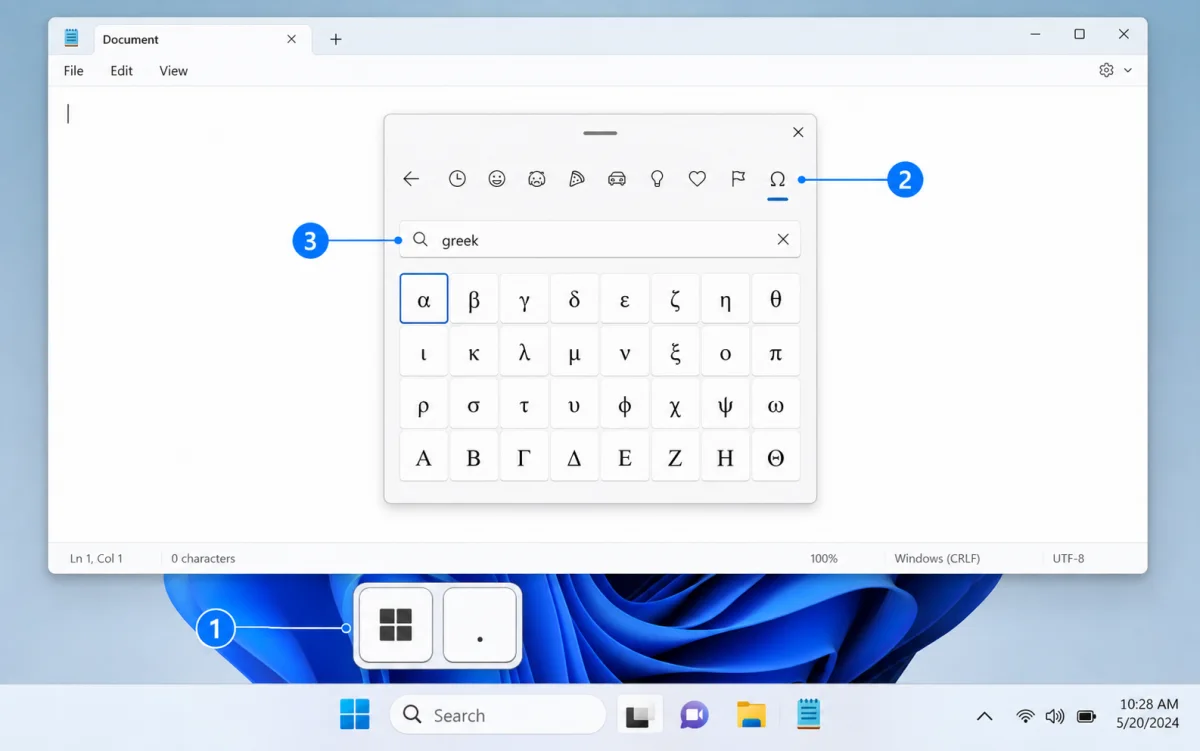
Windows 11 Emoji & Symbols panel: open Symbols (Ω), then search for a Greek letter. Windows 10 / 11 Open the Emoji & Symbols picker 1 Press Win +. or Win +; anywhere you can type.
2 Choose the Symbols category, marked with Ω .
3 Search for “greek” or a letter name, then select the result to insert it.
For repeated Greek typing, add Greek under Settings → Time & Language → Language & Region, then switch input languages with Alt +Shift .
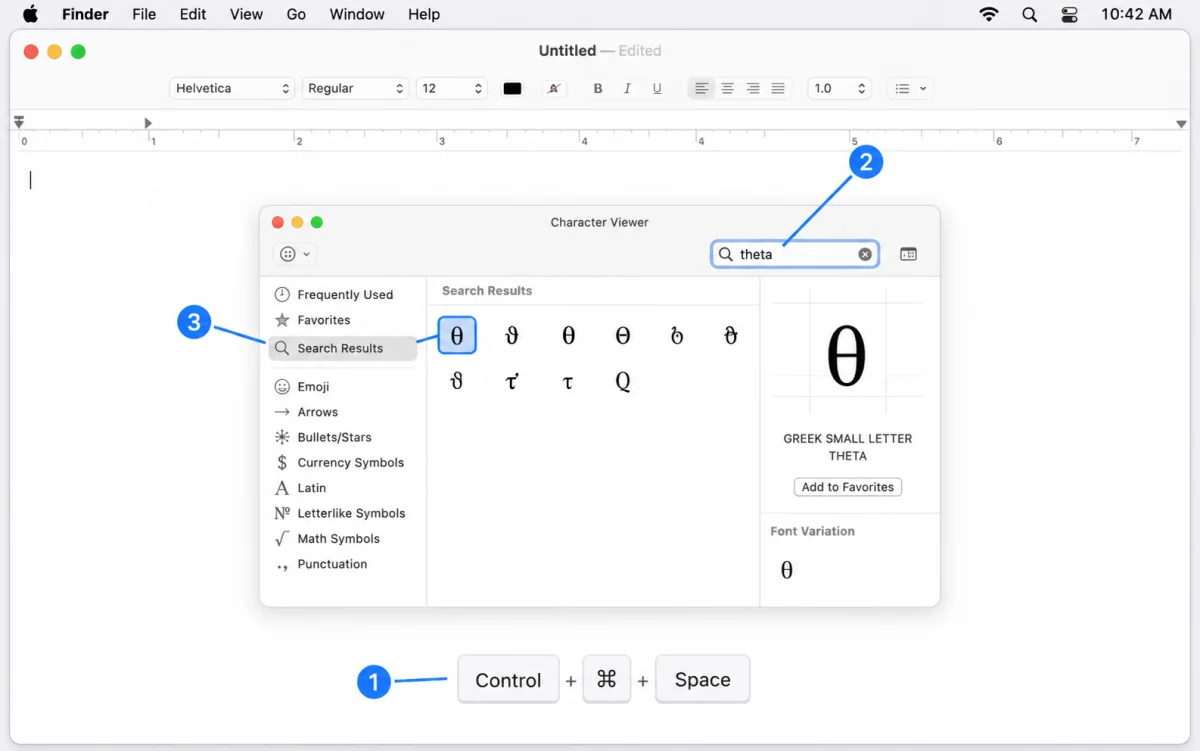
macOS Character Viewer: use Control–Command–Space, then search for theta. macOS Search in Character Viewer 1 Press Control +Command +Space to open Character Viewer.
2 Enter a name such as “theta”, “omega”, or “sigma” in the search field.
3 Select or double-click the character you want to insert.
To write complete Greek text, add a Greek input source in System Settings → Keyboard → Text Input.
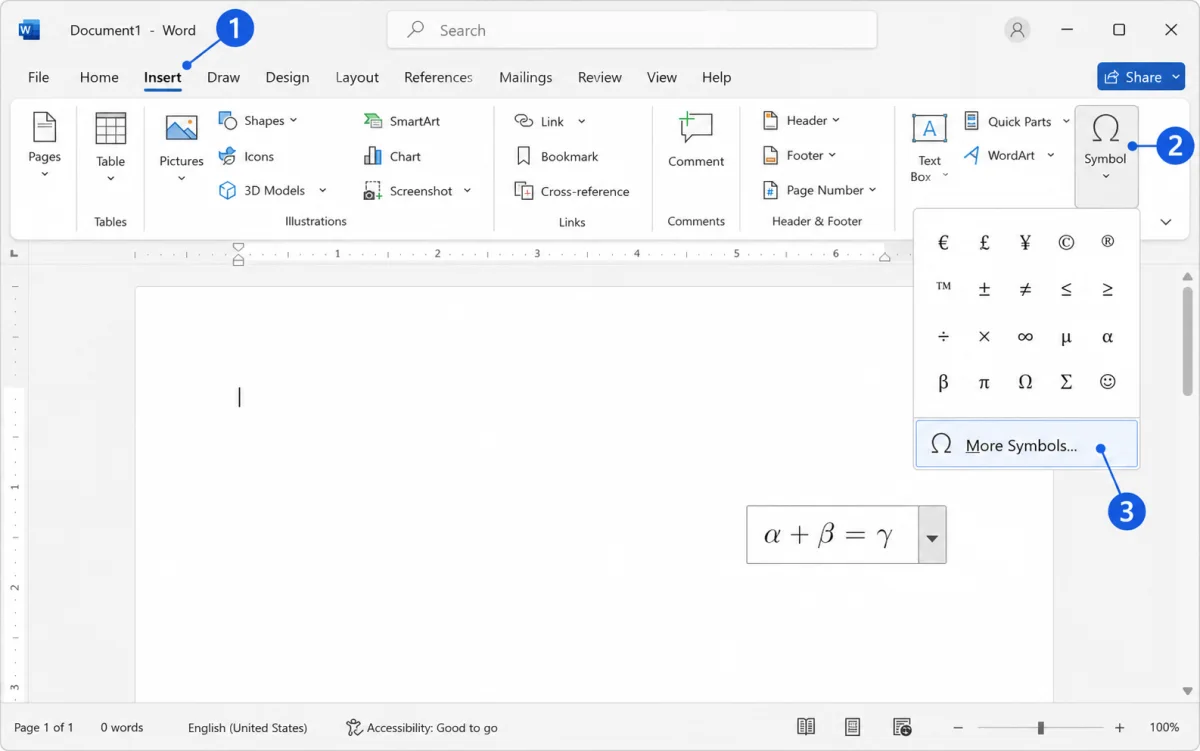
Microsoft Word: Insert → Symbol → More Symbols opens the Greek and Coptic character set. Microsoft Word Use Insert → Symbol → More Symbols 1 Open the Insert tab in the ribbon.
2 Open Symbol , then choose More Symbols .
3 Choose the Greek and Coptic subset, then double-click the letter to insert it.
For equations, press Alt += , type a code such as \theta, then press Space.
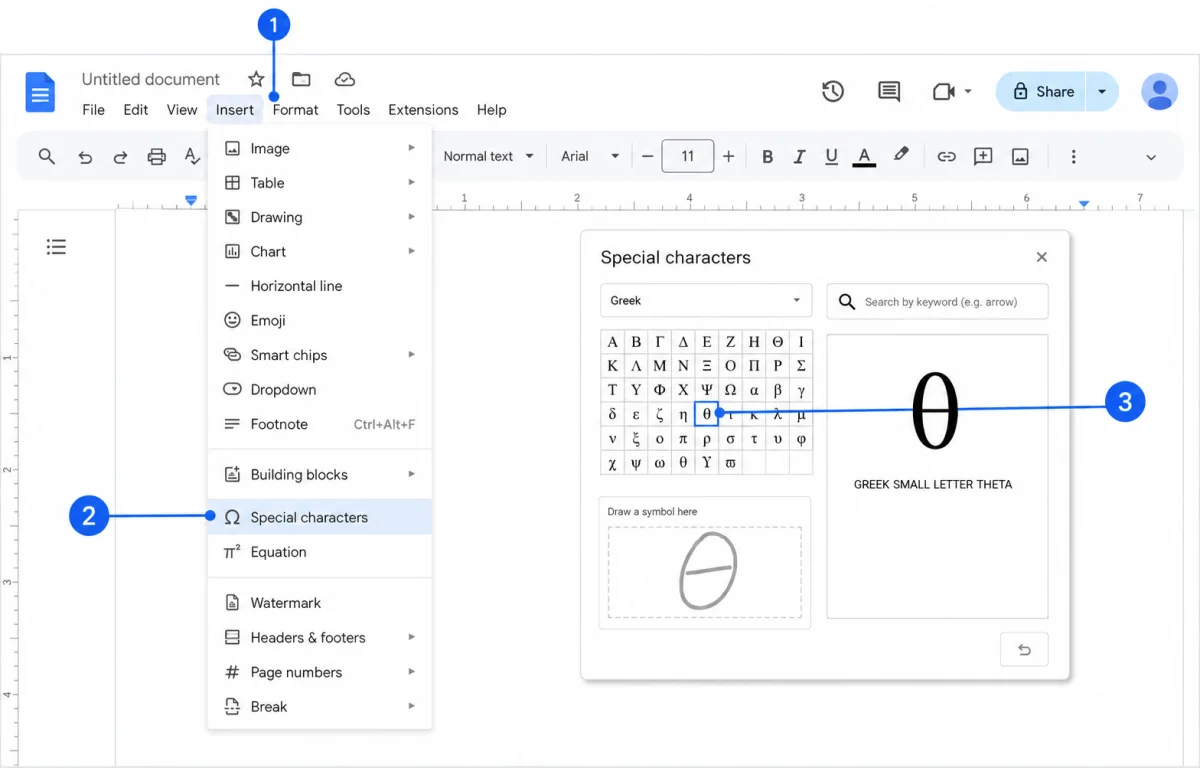
Google Docs: Insert → Special characters lets you search or draw a Greek letter. Google Docs Open the Special characters dialog 1 Open the Insert menu.
2 Choose Special characters .
3 Search by letter name, choose the Greek category, or draw the character to find it.
You can also keep Greek Symbol open in a neighboring tab and paste a verified Unicode character directly into the document.
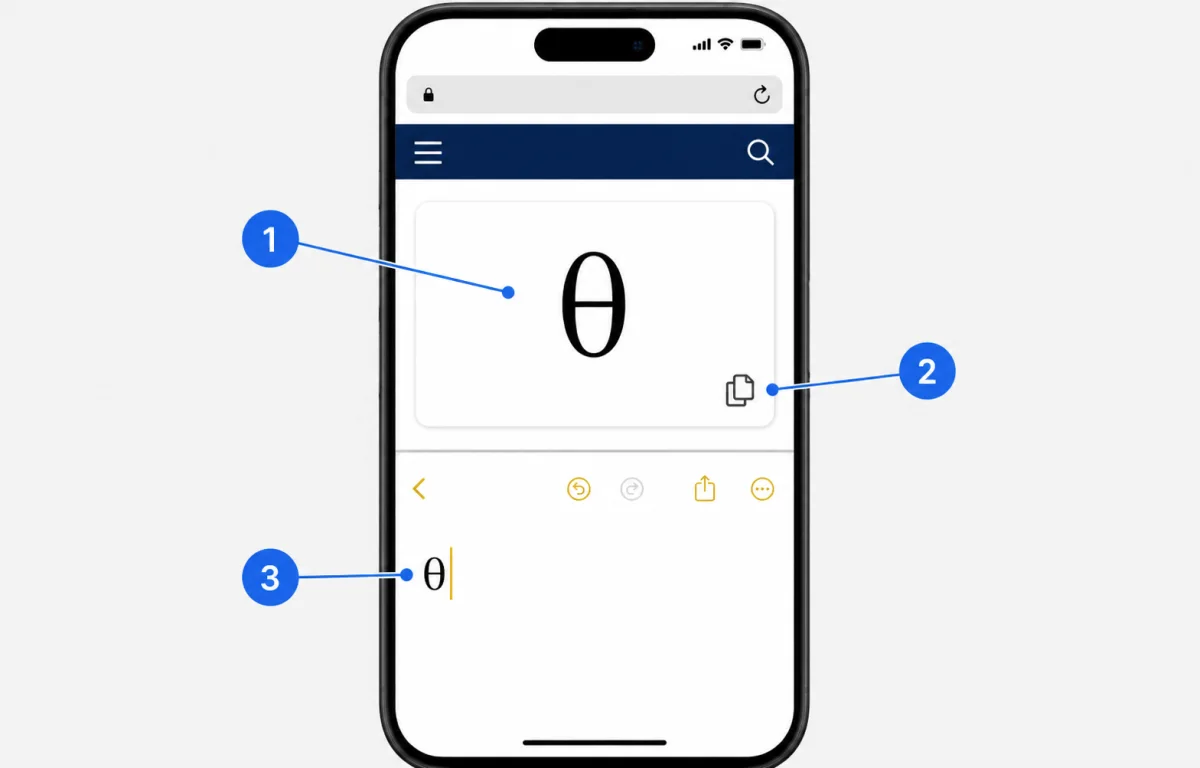
Mobile Copy and paste on iPhone or Android On iPhone or Android, copy a Greek character from Greek Symbol, then paste it into any text field. Use the same copy workflow on a phone 1 Open this site in your mobile browser and find the character you need.
2 Tap the clipboard icon beside the character.
3 Paste it into Notes, WhatsApp, Slack, or any other text field.
Add a Greek keyboard in your device settings only when you need to type several Greek letters in sequence.
Looking for code formatting? See Greek letters in LaTeX , HTML entities , or browse the complete Greek alphabet chart .